How to Install and Configure iPassConnect
- Double-click the iPassConnect
desktop Icon to launch the client software.
- Select your location by entering the country, state,
city, or area code of your present location
- Click Find; available means of Internet connectivity
will be displayed:
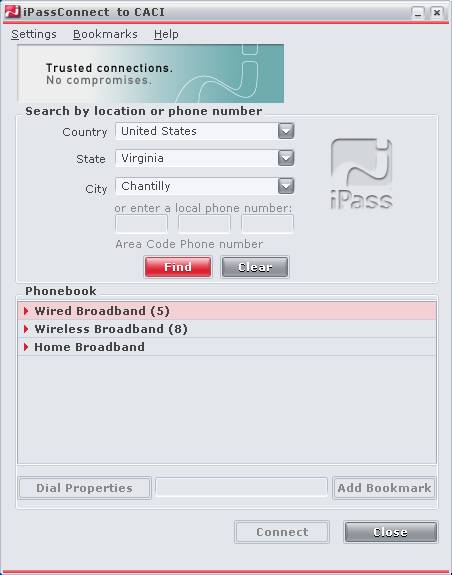
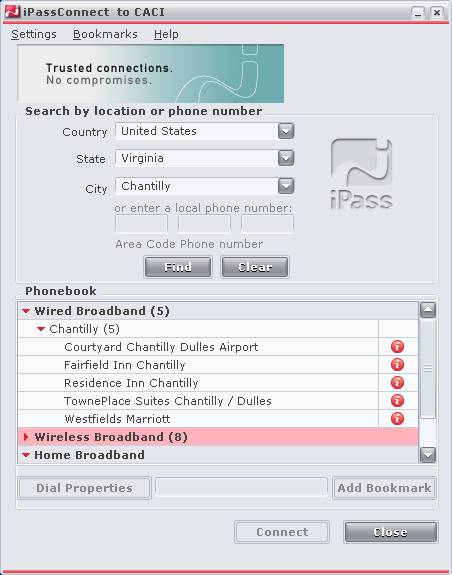
You may expand each
of the connectivity methods by clicking on the red arrows:
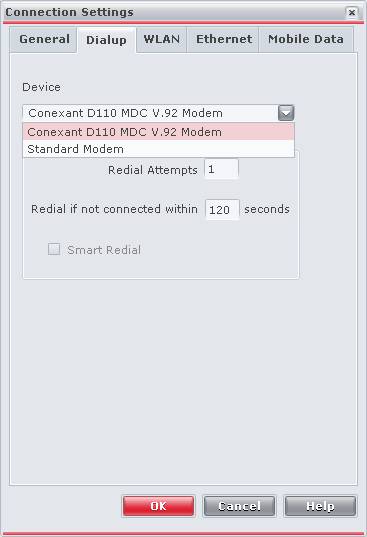
Confirm Dial Properties
- Click Settings then Connection Settings
- Select the Dialup tab
- Ensure your modem is properly listed in the device
setting, if not click the drop-down to select your modem
- Click OK
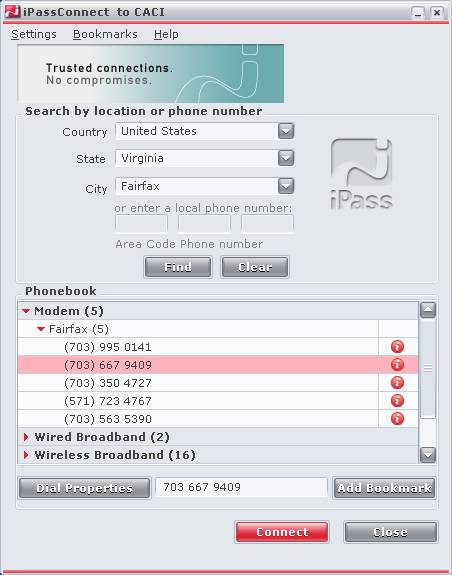
Connect
- Select one of the valid means of connectivity, and
click connect
- If using dial-up from a hotel, office, or other
location…check to make sure you don’t need to add a ‘9,’
to get an outside connection
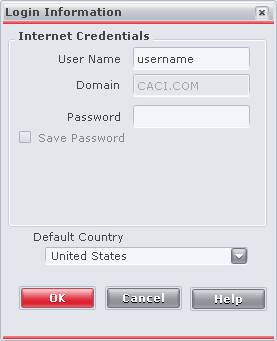
User Info
Enter Username and
password. (domain will already be entered.) Click OK.
You will be connected to the Internet via iPass, and all connectivity charges billed back to your
business unit